Loading...

Voice-Powered Expense Tracking
Track Expenses
With Your Voice
Simply speak your expenses and let AI do the rest. ExpenseEasy voice tracking uses OpenAI Whisper to transcribe your voice in nearly any language, then automatically extracts the amount, merchant, and category. No typing required.
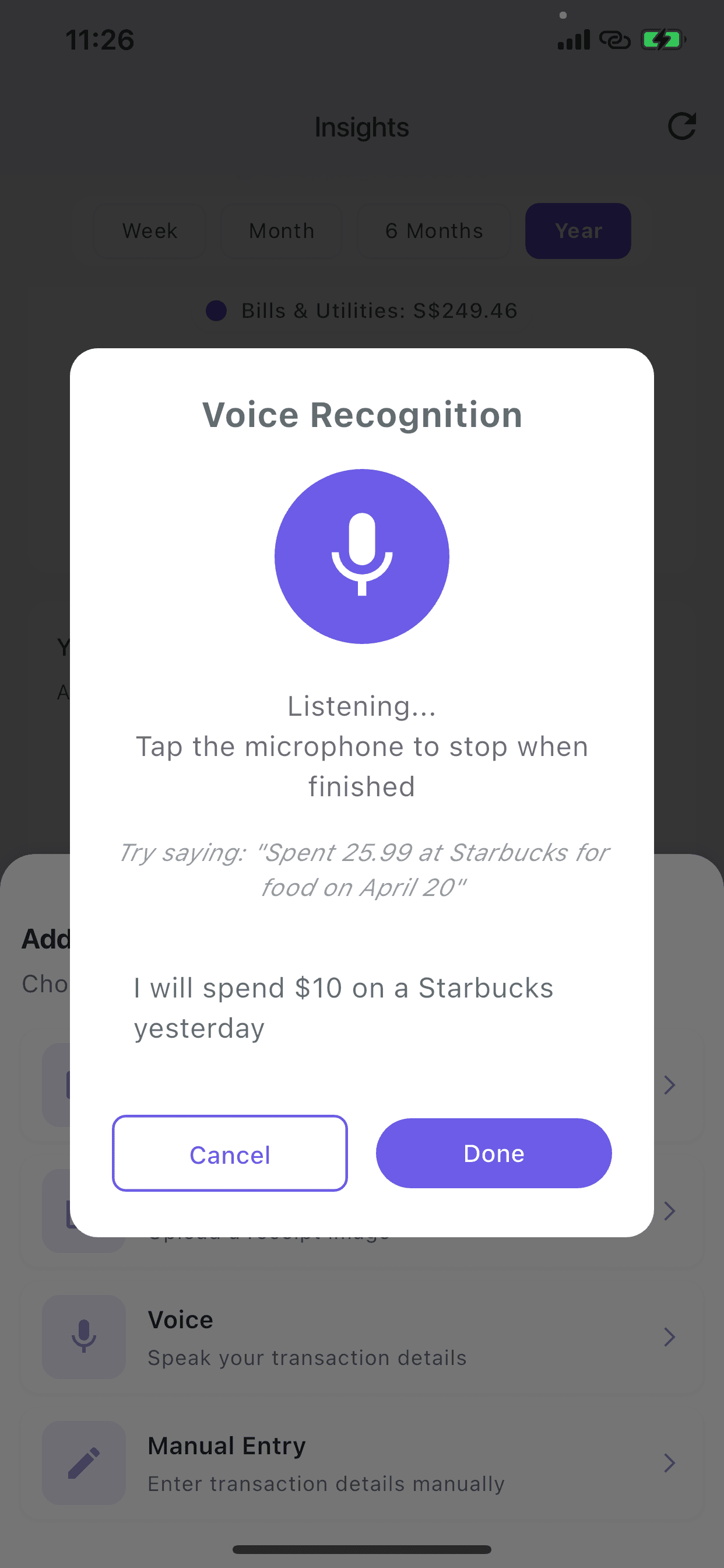
How Voice Expense Tracking Works
Three simple steps from speaking to a fully categorized expense entry in your tracker.
1. Speak Your Expense
Tap the microphone button and say something natural like "Spent 45 dollars at Tesco on groceries" or "Paid 12 euros for lunch at the cafe." Speak in any language you prefer.
2. AI Transcribes and Extracts
Your audio is sent to OpenAI Whisper for speech-to-text transcription. The text is then processed by AI to extract the transaction amount, merchant name, and spending category automatically.
3. Review and Confirm
The expense appears pre-filled with all the details. Review it, make any adjustments if needed, and confirm. The entire process takes just a few seconds from start to finish.
Speak in Nearly Any Language
ExpenseEasy voice expense tracking is powered by OpenAI Whisper, one of the most advanced speech recognition models available. It supports nearly any spoken language, so you can track expenses in the language most natural to you. Whether you speak English, Spanish, Mandarin, Arabic, Hindi, French, German, Japanese, or dozens of other languages, your voice input will be accurately transcribed and processed.
- Supports nearly any spoken language via Whisper AI
- Automatic language detection with no configuration needed
- Multi-currency recognition from natural speech
Example Voice Inputs
English
"Spent forty-five dollars at Walmart on groceries"
Spanish
"Gaste veinte euros en el supermercado"
French
"Quinze euros pour le dejeuner au restaurant"
Perfect for Hands-Free Expense Entry
Voice expense tracking shines when your hands are busy. Record transactions instantly in situations where typing is impractical or unsafe.
While Driving
Just paid for petrol or a toll? Record the expense hands-free without taking your eyes off the road. Voice tracking keeps you safe while staying on top of your spending.
While Cooking or Eating
Hands covered in flour or holding a shopping bag? Speak your grocery or restaurant expense without needing to wash up or put things down first.
Quick On-the-Go Entry
Walking out of a shop or hopping into a taxi? Voice entry is faster than typing on a small keyboard. Capture the expense in seconds before you forget the details.
Your Voice Data Stays Private
Privacy is central to how ExpenseEasy handles voice input. Your audio recordings are never stored by ExpenseEasy. They are sent to OpenAI Whisper solely for real-time transcription, then discarded. OpenAI does not use your audio to train or improve their models, though they may retain data for up to 30 days for abuse monitoring before permanent deletion.
- Audio is never stored by ExpenseEasy
- Not used to train AI models
- All communication encrypted in transit
- Financial data stored locally on your device only
Voice Data Flow
1
You tap the mic and speak your expense
2
Audio is sent securely to OpenAI Whisper for transcription
3
Transcribed text is processed to extract amount, merchant, and category
4
Expense is saved locally on your device. Audio is discarded.
Voice Expense Tracking FAQ
Common questions about tracking expenses by voice
How accurate is voice expense tracking?
Voice expense tracking in ExpenseEasy uses OpenAI Whisper, which delivers high accuracy across dozens of languages. The AI then intelligently parses the transcription to extract amounts, merchants, and categories. You always have the chance to review and edit before confirming.
Do I need an internet connection for voice tracking?
Yes, an internet connection is required because your audio is processed by OpenAI Whisper in the cloud. This ensures the highest possible transcription quality across all supported languages.
Can I use voice input alongside receipt scanning?
Absolutely. Voice expense tracking and receipt scanning are complementary features in ExpenseEasy. Use receipt scanning when you have a physical receipt, and voice input when you want a quick, hands-free entry. Both methods create the same structured expense data in your tracker.
Start Tracking Expenses by Voice Today
Download ExpenseEasy and experience the fastest way to log expenses. Just speak, and the AI handles everything else. Available free on iOS and Android.
Free download • No bank access required • Complete privacy