Loading...

Budget Planner with AI Assistant
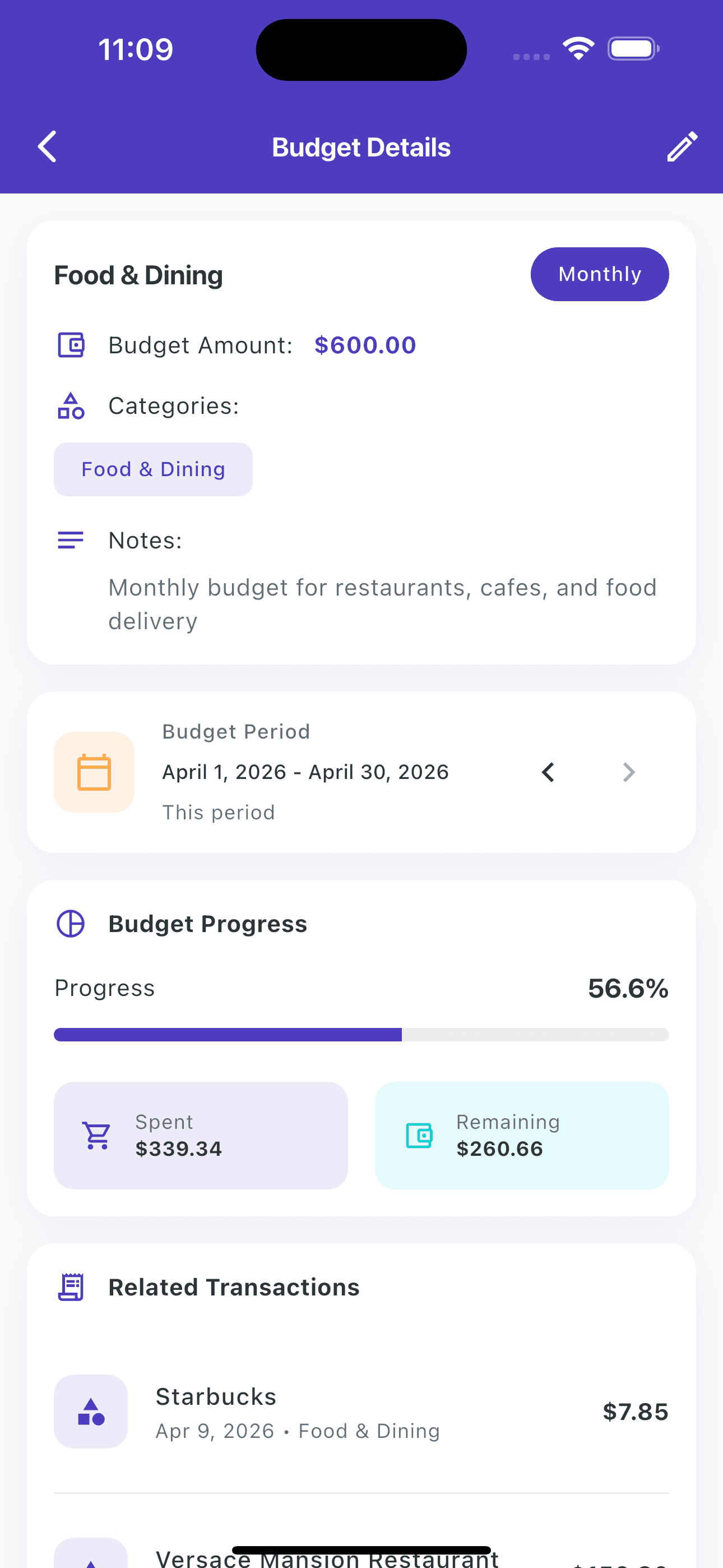
Set a budget.
Ask it anything.
Create daily, weekly, or monthly budgets. Then ask your AI Budget Assistant: "How much did I spend on groceries?" and get the real answer from your actual data.
No bank login. No signup. Your data stays on your phone.
Not your average budget app.
Most budgeting apps just show you numbers. This one answers your questions.
AI Budget Assistant
Ask "how much did I spend on groceries?" and get the real answer. From your actual transactions, not generic advice.
Your Budget Start Date
Set budget start to any day 1-31. Paid on the 23rd? Start on the 23rd. Most apps force the 1st. This one doesn't.
No Bank Login. Ever.
Log expenses by voice, camera, or type. All data stays on your phone. No account linking, no third-party access.
Real-Time Alerts
Get notified when you're close to a budget limit. See exactly how much is left in each category, updated as you spend.
AI Budget Assistant
Ask your money anything.
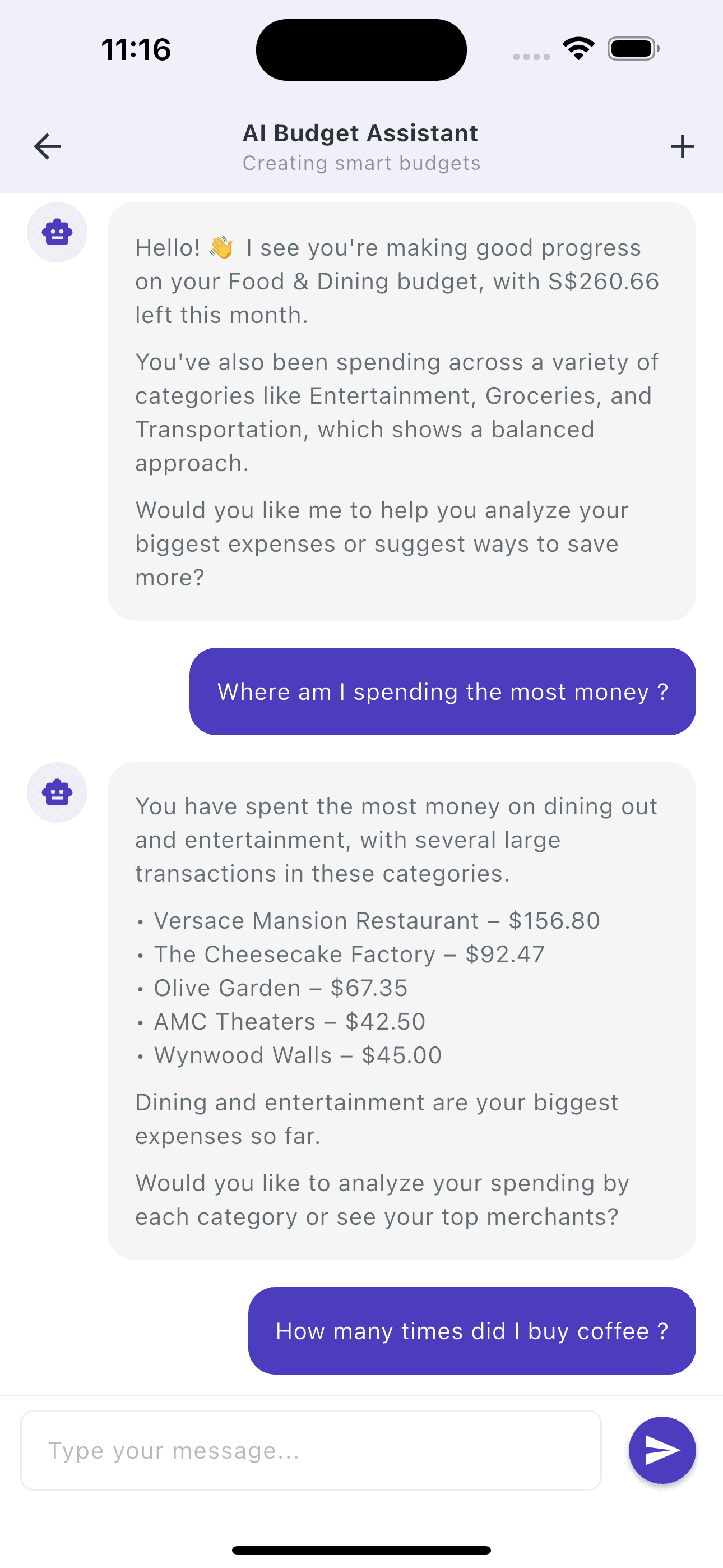
Instead of scrolling through transactions, just ask. The AI knows your actual spending and gives real answers.
You ask:
"How much did I spend on groceries this month?"
AI answers:
"You spent $426 on groceries in May. That's 18% of your total spending. Most purchases were at Whole Foods ($172) and Trader Joe's ($139). Your grocery spending is $58 higher than last month."
- How many times did I buy coffee this month?
- Where am I spending the most money?
- How much is left in my dining budget?
- Am I spending more this month than last?
Spending Insights
See exactly where it goes.
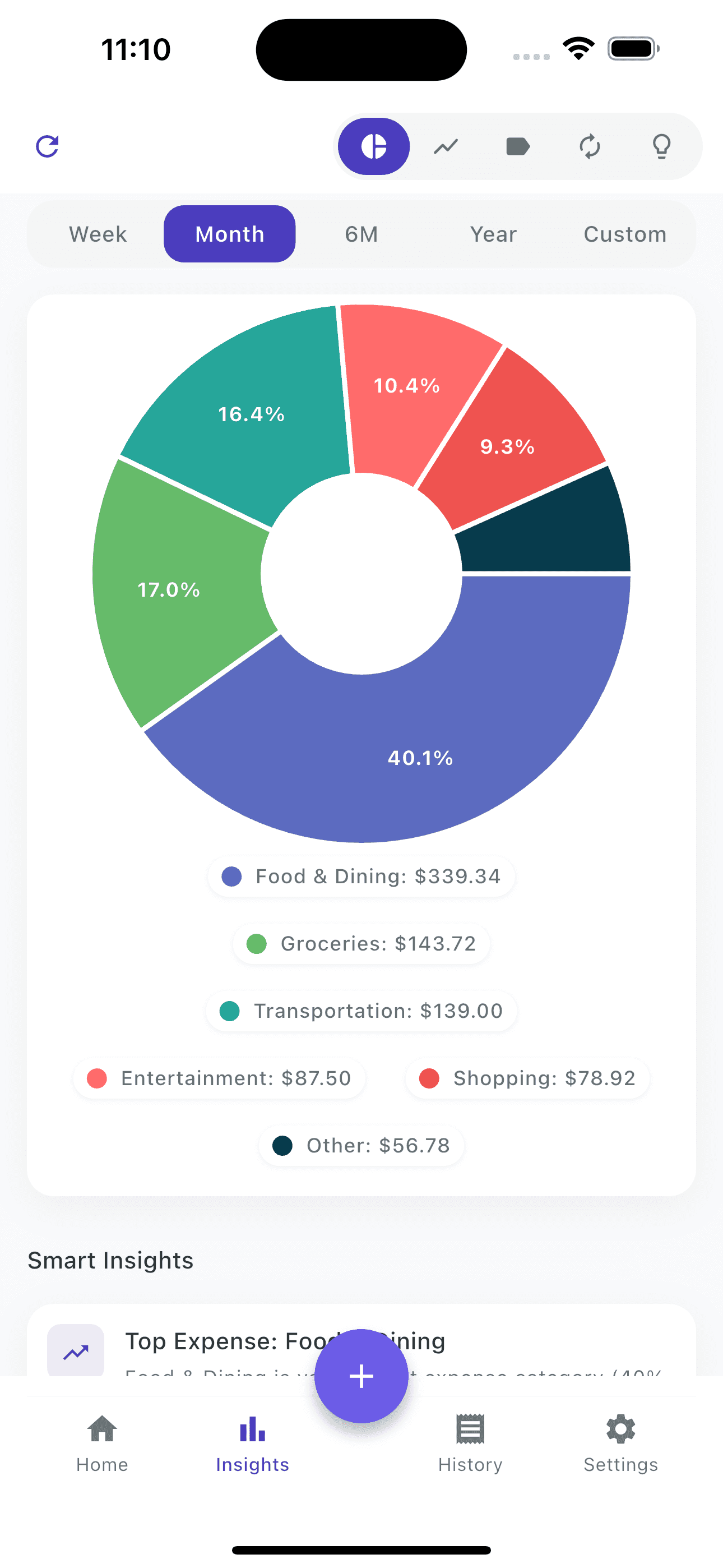
Every expense is categorized automatically. Your pie chart updates in real time. No spreadsheet needed.
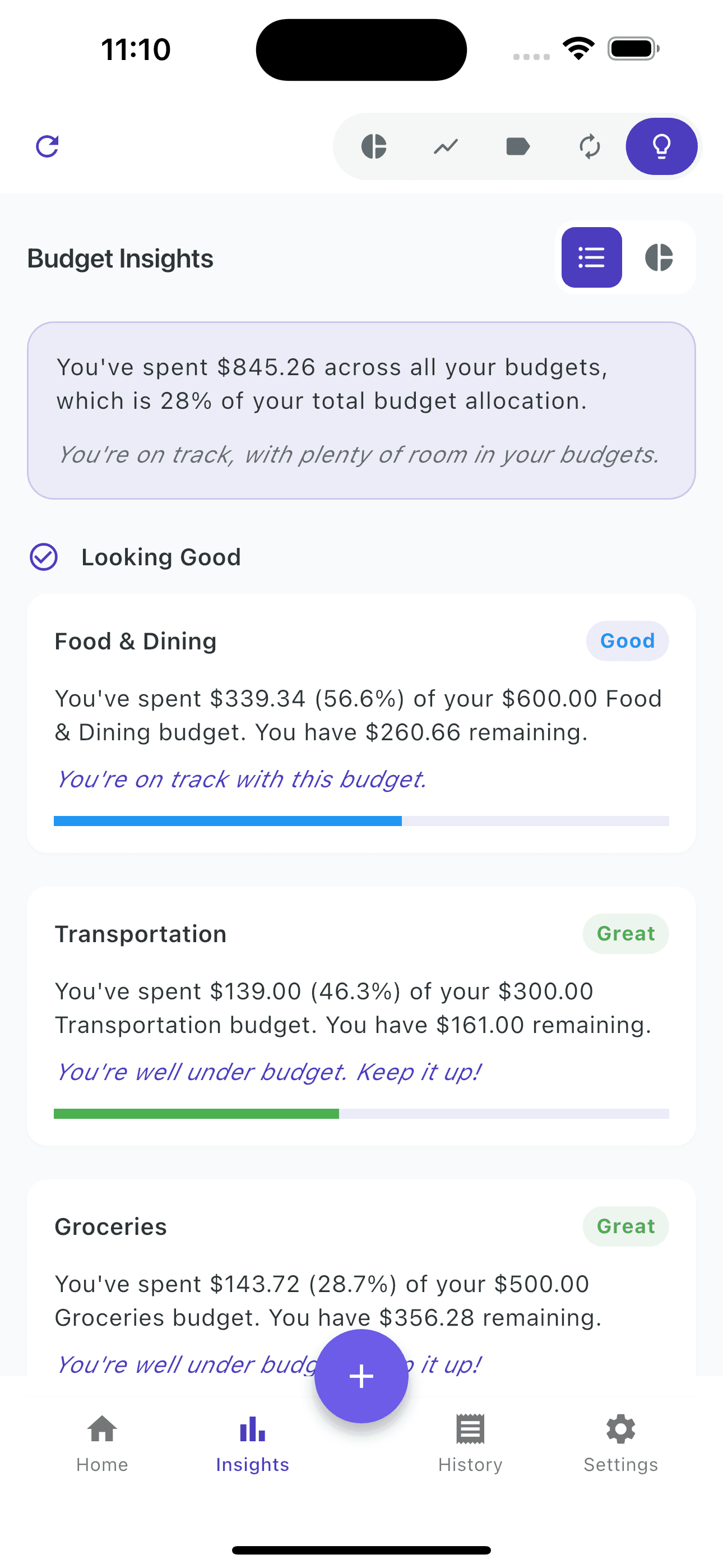
- Spending by category, merchant, and date
- Week, month, 6-month, and yearly view
- Compare this month vs last month automatically
- Export to PDF or CSV for taxes and reports
Custom Start Date
Your pay cycle. Not the calendar's.
Most apps assume you get paid on the 1st. You probably don't. ExpenseEasy lets you set any budget start date from 1 to 31 so your budget actually matches how you get paid.
"I like that the budgets can start on any date. My salary doesn't come on the first of the month so most budgeting apps never matched my real spending cycle. In ExpenseEasy I just set my own start date."
★★★★★
App Store Review- Any start date: 1st, 15th, 23rd, any day
- Daily, weekly, and monthly budget periods
- Overspending alerts before you hit the limit
Start with the 50/30/20 rule.
A proven starting point. Customize it in the app to match your actual life.
Monthly Budget Template
50%
Needs
Housing, utilities, groceries, transportation, insurance
30%
Wants
Dining out, entertainment, shopping, subscriptions
20%
Savings
Emergency fund, investments, extra debt payments
Sample category breakdown
Essential Expenses (50%)
- Rent/Mortgage: 25-30%
- Utilities: 5-10%
- Groceries: 10-15%
- Transportation: 10-15%
- Insurance: 5-10%
Discretionary (30%)
- Dining Out: 5-10%
- Entertainment: 5-10%
- Shopping: 5-10%
- Subscriptions: 2-5%
- Personal Care: 3-5%
What people are saying.
Real App Store reviews. Used in 100+ countries.
★★★★★
"One thing I really like in ExpenseEasy is the chat assistant. Instead of scrolling through transactions I can just ask something like 'how many times did I order food last month?' and it shows the answer immediately."
A
App Store Review
Budget user
★★★★★
"I like that the budgets can start on any date. My salary doesn't come on the first of the month so most budgeting apps never matched my real spending cycle. In ExpenseEasy I just set my own start date."
B
App Store Review
Budget user
★★★★★
"Sometimes I just upload my bank statement and let ExpenseEasy organize everything. It categorizes transactions and even suggests budgets based on how I actually spend money."
C
App Store Review
Budget user
Common questions.
About budgeting with ExpenseEasy.
Does it require my bank login?
No, and it never will. You log expenses by voice, camera, or manual entry. Or import a bank statement file. No account linking, no third-party access, no exceptions. All data stays on your phone.
Can I set my budget start date to match my pay day?
Yes. You can set any start date from 1 to 31. Most budgeting apps force the 1st of the month, which doesn't match how most people actually get paid. ExpenseEasy lets you start the budget whenever your pay cycle starts.
What can I ask the AI Budget Assistant?
Ask it natural questions about your spending. "How much did I spend on groceries this month?" "How many times did I buy coffee?" "Where am I spending the most?" "How much is left in my food budget?" It answers from your actual transaction data, with specific merchant names, amounts, and comparisons to last month.
What budget methods does the app support?
You can set daily, weekly, or monthly budgets per category. The 50/30/20 template is a good starting point for most people, but you can fully customize categories, amounts, and periods. The app doesn't force any method on you.
Does it work offline?
Yes. All your budget data, transactions, and the 160-currency converter work fully offline. No internet needed to log an expense or check your budget. Useful when traveling, on a plane, or anywhere without a connection.
Can I export my budget and expenses?
Yes. Export to PDF or CSV at any time. Useful for tax prep, sharing with an accountant, or keeping your own records. Filter by date range, category, or merchant before exporting.

Start your first budget today.
Set it up in under 2 minutes. No signup. No bank access. Open the app and go.
iOS 15+ and Android 7+. Your data never leaves your phone.